Read personalization results
Use the Impact page to assess whether visitors receiving AXO experiences convert more often than the control group. The control group is the share of eligible visitors held back from personalization.
Read the result in order
- Open Impact for the correct site. Check the reporting window and any measurement notices.
- Read the evidence label and confidence message before the lift number. Still learning, Not enough data, or Underpowered means the report cannot yet support a firm conclusion.
- Compare the counts and conversion rates for With AXO and Holdout control. Read Results by goal to see which outcome changed.
- Use the zone and audience breakdowns to investigate where differences appear. These descriptive comparisons do not establish a winner for each zone or audience.
- Use Analytics to investigate traffic and funnel behavior, and Optimizer to inspect variant traffic allocation.
Separate measurement from projection
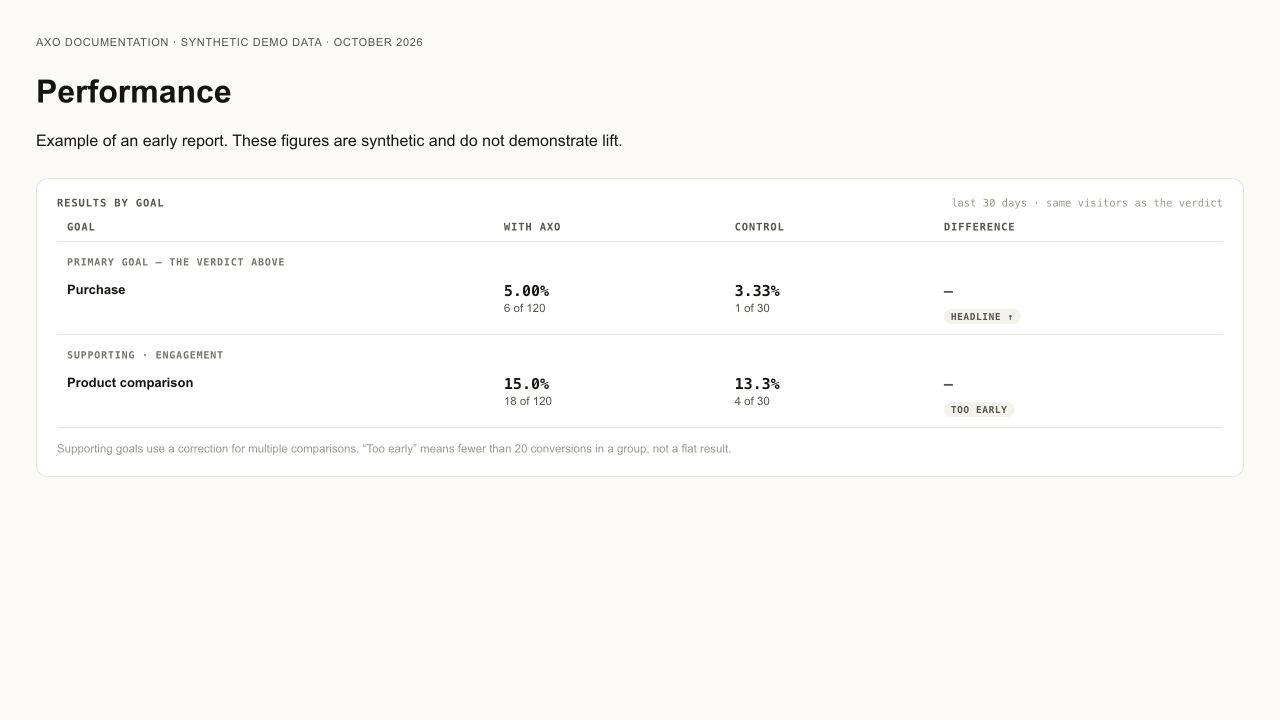
First confirm what the goal records. Eligibility means a visitor can receive content; exposure means it was shown; a click records an interaction; a purchase requires a purchase signal. A click to an external retailer does not prove a downstream purchase. That outcome needs an authorized integration or server-side conversion feed that can connect it to the visitor.
Compare treatment and control over the same reporting window and eligibility rules. Read each group's visitor count, outcome count, and conversion rate. Unequal counts can reflect the configured control share; inspect that setting and measurement notices before concluding allocation is broken. Raw outcome totals alone do not establish which experience performs better.
Measured lift compares eligible treatment and control traffic. A projection estimates a possible outcome using assumptions. Backtest and projected revenue figures are planning aids; they are not observed incremental revenue.
Check simulated-data notices before using a result in a business report. Simulation can demonstrate how allocation works. Owner activity, agent checks, and simulator sessions do not establish customer demand or conversion lift.
If there is no clear result
Check that the conversion goal records events, eligible content is serving, and the control group is enabled. Sparse traffic may need more time or a different measurement plan.
An owner or admin can change the rate in Control group. Changing it restarts measurement from that point; turning it off removes the ongoing holdout comparison. Read the page's notice before comparing periods.